
Agency Setup#
PilotPoster Agency lets you run Facebook group posting for many clients from one login. Each client's Facebook account connects to your agency, and you schedule, post and track results for all of them from a single dashboard.
What Agency includes#
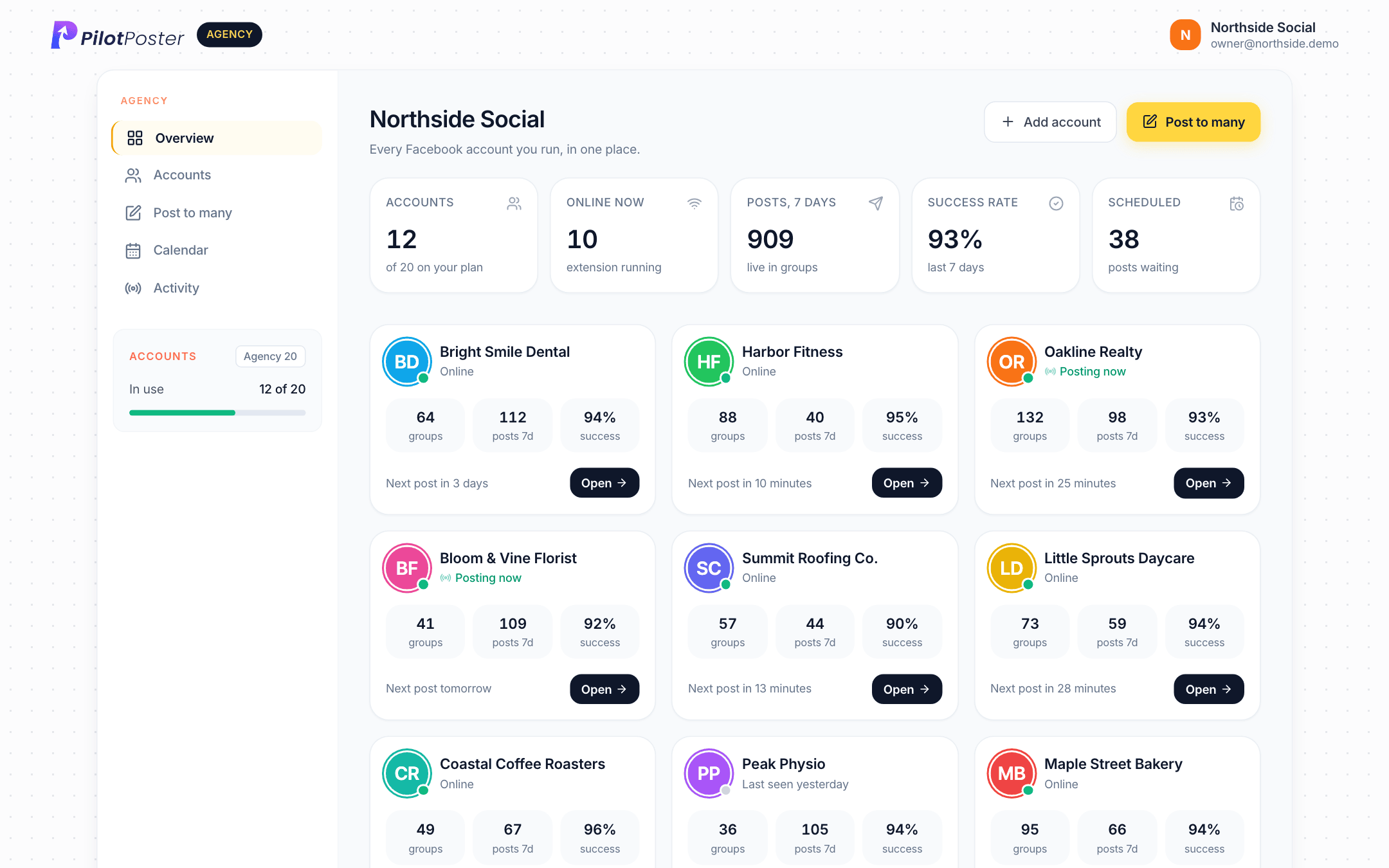
- One dashboard for every account. See which accounts are online, posts in the last 7 days, success rate and what is scheduled.
- Branded connect links. Send a client a link and they connect their own Facebook account. You never handle their password.
- Post to many. Write a post once and send it to several accounts, each posting to its own groups on a staggered schedule.
- Full dashboard per account. Open any account to use campaigns, groups, media, scheduling and logs exactly as a single user would.
- Client portal. Give clients a read-only view of what is coming up and what went live.
Each connected Facebook account publishes from its own browser through the PilotPoster extension, the same way a regular PilotPoster account does.
Plans#
| Plan | Facebook accounts | Price |
|---|---|---|
| Agency 10 | Up to 10 | $199/mo |
| Agency 20 | Up to 20 | $349/mo |
| Agency 50 | Up to 50 | $500/mo |
All Agency plans are billed monthly and include Post to many and the branded client portal. Need more than 50 accounts? Use Talk to us about a custom plan on the billing page or email support@pilotposter.com.
Your first login#
After you subscribe to an Agency plan, sign in at app.pilotposter.com. Agency owners land on the Agency dashboard (/agency) instead of the single-account dashboard.
The left menu has:
- Overview: totals across all accounts and a card for each account
- Accounts: add, connect and manage client Facebook accounts
- Post to many: write once, post from several accounts
- Calendar: everything scheduled across all accounts
- Activity: live results as posts go out
- Agency settings and Plan & billing at the bottom
The Accounts box shows how many accounts you are using against your plan limit, for example "12 of 20".
Agency settings#
Open Agency settings to set how your agency appears to clients. A preview shows how your branding will look.
| Setting | What it does |
|---|---|
| Agency name | Shown on connect links, the client portal and client emails |
| Logo URL | A link to your logo image. A square image works best. |
| Brand colour | Used for buttons and accents on connect links, the portal and emails |
Your branding appears on:
- The connect page clients open to link their Facebook account
- The client portal
- Emails PilotPoster sends to your clients (connect links and portal invites)
Tip
Set your name, logo and brand colour before you send your first connect link. Clients are more likely to finish connecting when the page clearly comes from you.
Plan and billing#
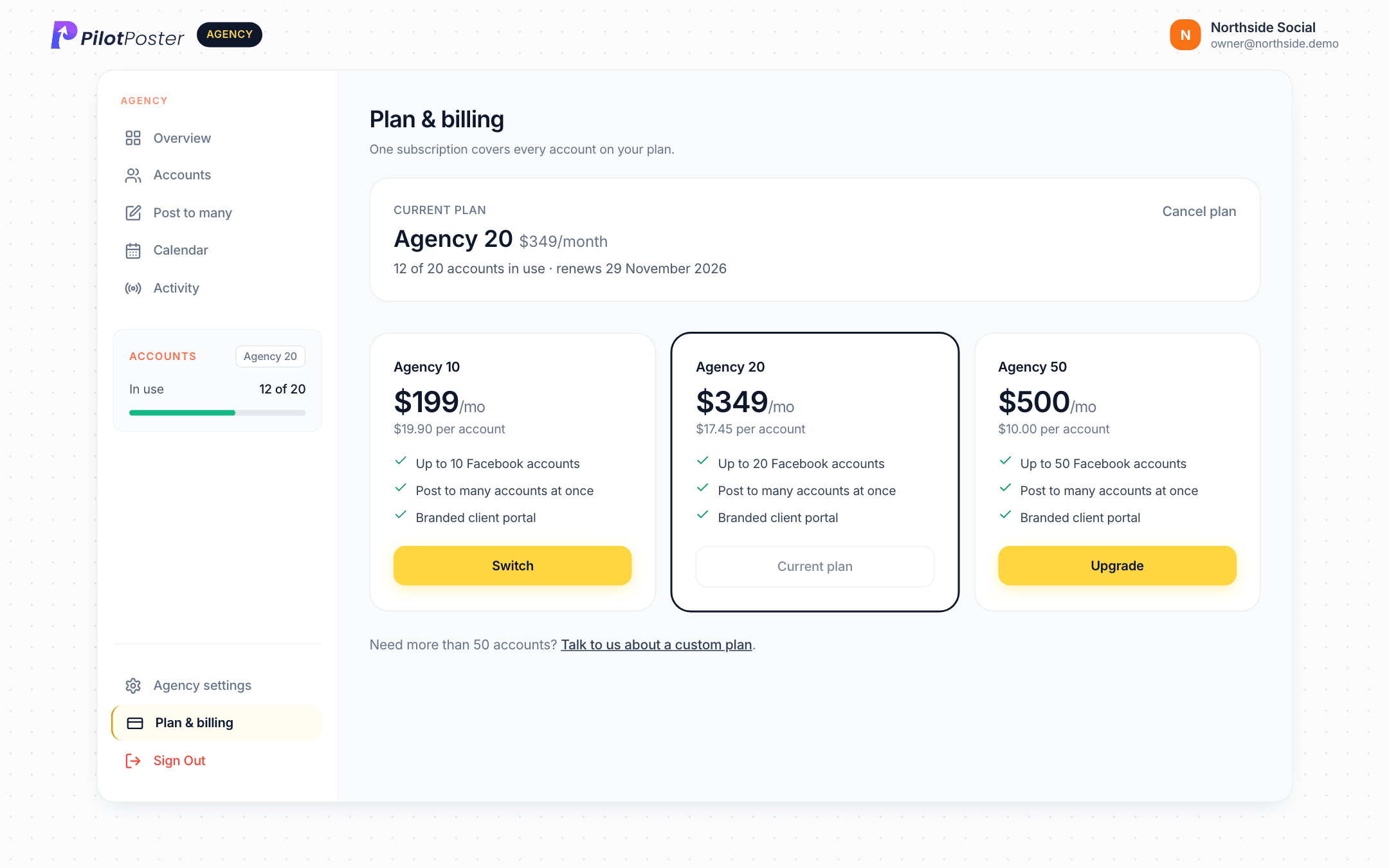
Open Plan & billing to see your current plan, how many accounts are in use and your renewal date.
Change tier#
Click Upgrade or Switch on the plan you want. Your account limit changes to match the new plan.
Downgrading below your usage#
If you move to a plan with fewer slots than the accounts you have connected, PilotPoster pauses the newest accounts so you are within the new limit. To bring a paused account back, upgrade again or remove an account you no longer manage.
Warning
Before downgrading, check Accounts and remove any clients you no longer manage. Otherwise PilotPoster decides which accounts pause based on when they were added.
Cancel#
Click Cancel plan and confirm. Every account keeps posting until the end of the current billing period. After that, posting pauses on all accounts. Your accounts, groups and schedules stay saved, so you can pick a plan again later and carry on.
Changed your mind before the period ends? Click Keep my plan.